Nothing is uploaded
The floorplan you load, the model you build and the map you compute never leave your browser. There is no account, no server and no network call.
Upload a floorplan, trace the walls, place your router, get a coverage map computed from real electromagnetics. Free, open source, and everything stays on your machine.
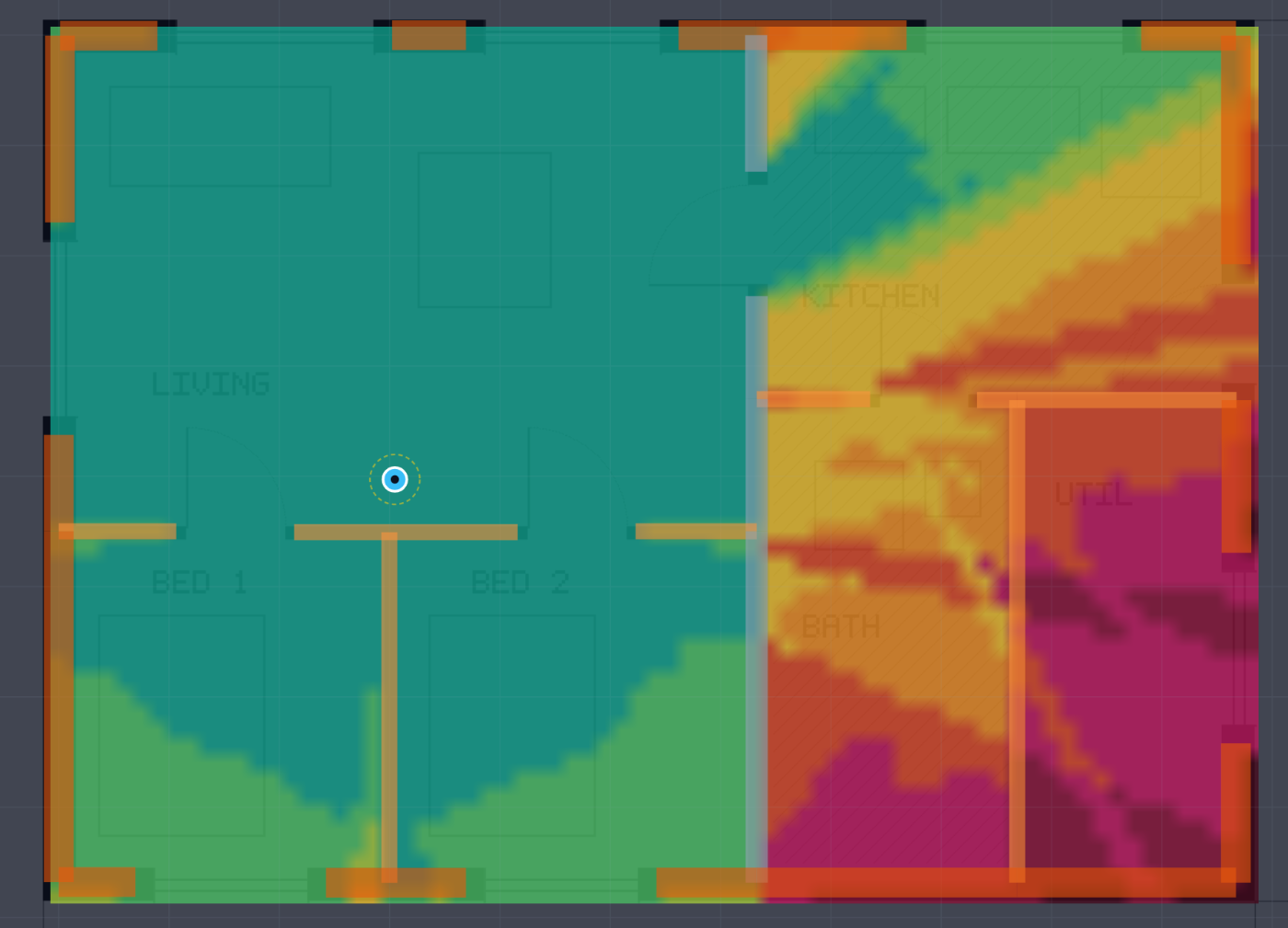
Most free Wi-Fi planners work the same way. They draw a straight line from the router to each point on the map, count the walls it crosses, and subtract a fixed number of decibels for each one. The picture that comes out looks convincing and is mostly decoration, because a straight line cannot represent reflection off the floor, diffraction round a door frame, or the fact that the same pane of glass behaves completely differently in the 2.4 and 5 GHz bands.
The tools that do the real physics exist. They are called Ekahau, iBwave and Ranplan, they are closed, and they cost more than most people planning a home network are willing to spend on the question.
WiFi-Sim does the real physics and is free. It enumerates every path from your router to every point on the map and solves each one in closed form: the direct path, specular reflections up to second order, transmission through each wall in between, and edge diffraction around corners and through door reveals.
If you just want to know where to put your router, start with your first coverage map. It takes about ten minutes and assumes nothing. You do not need to know what a decibel is.
If you are planning a real installation, the using it section walks through each step properly, including the parts that decide whether the answer is trustworthy: the scale, the wall build-ups, and what you are measuring coverage for.
If you want to know whether to believe the output, read the physics and then what this does not model. The second one is the more useful page.
If you want to contribute, the most valuable thing is not code. It is material data with a citation.
Take an ordinary sealed double-glazed unit, 4 mm of glass, a 16 mm cavity, then another 4 mm of glass. Every free planner will tell you a window costs somewhere between 2 and 6 dB.
Solved properly, that unit attenuates 0.2 dB at 2.4 GHz and 9.3 dB at 5.5 GHz. Same window, nine decibels apart, because at 5.5 GHz the cavity is close to half a wavelength and the two panes start working against each other. No single number can express that.
Now add the low-emissivity coating that essentially every window fitted since about 2000 has. It is a metallic film a few nanometres thick, invisible, and sold on the basis that it keeps heat in. It also happens to be a resistive sheet, and it takes the same unit to 29 dB at 2.4 GHz and 34 dB at 5.5 GHz.
That single fact explains most of the "why is my Wi-Fi dead on the balcony" mysteries in modern buildings, and almost every free tool ignores it entirely.
Both of those numbers are checked on every commit. See the validation suite.